Split an STL into parts
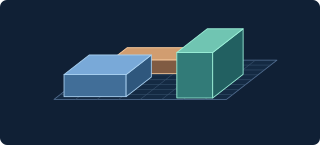
Pick out one object from a multibody STL or 3MF. See the pieces apart and save each one as a numbered STL.
Open an STL or 3MF. Separate the pieces already in the file, or cut the model so it fits your printer.
Drop an STL, 3MF, or saved split project here.
Up to 100 MiB and 500,000 triangles per model
Pick out one object from a multibody STL or 3MF. See the pieces apart and save each one as a numbered STL.
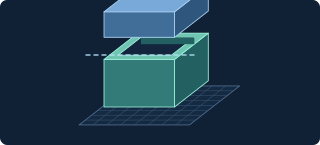
Move a plane through the solid and keep one or both sides. Add alignment pegs, loose pins, or magnet pockets on mating faces.
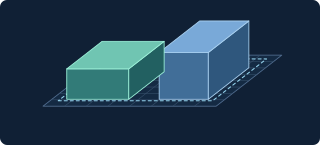
Enter your printer dimensions to check the fit at the original scale. The 3MF plates keep the layout and millimeter units.
Open the STL and choose Separate parts. Select a piece to download its STL. When the file contains one connected mesh, use Make a cut to create separate pieces.
Open Make a cut, choose X, Y, or Z, and leave the plane at the midpoint. Apply the cut to keep both halves. Pick Angled to tilt the plane or More cut options to keep only one side.
Choose Fit my printer and select a preset or enter your build volume. The splitter checks rotations first. If the model is still too large, it suggests an editable grid of cuts at the current scale.
Yes, for a watertight solid. The splitter closes both sides and keeps internal cavities. Open meshes can be separated and downloaded as they are. Use STL Repair to close holes before making a capped cut.
Start with 0.20 mm per side for FDM. A 5 mm peg makes a 5.40 mm socket at that setting. Print the small fit sample with the same filament and settings, then adjust it to suit your printer.
The splitter keeps geometry, units, and the placement of printable objects. Color, paint, modifiers, and printer or slicer settings are left out of the export.
You can open, cut, and preview models for free. One export per tool per day is included. A ZIP print kit counts as one export, and editable project backups are free. Pro includes unlimited exports.
Your browser opens and splits the models on this device. Use Save project to keep the original model and your edits in a .stlsplit file you can reopen later.